How to Use Script Help
Script help is a section inside of the JMAG-Designer online help which shows script methods provided by JMAG as well as a list of arguments. This section describes the table of contents, how to view method explanations for each class, and conventions for script help.
Table of Contents
Script help is composed of a class list, class index, class hierarchy, and class members.
-
The class list displays all classes in JMAG and an explanation of each class. From the class list, each class has a link which can be clicked.
-
The class index displays only the names of all the classes in JMAG. From the class index, each class has a link which can be clicked.
-
The class hierarchy displays a class list according to the hierarchy showing that method inheritance. "Method inheritance" signifies that a class can also use the methods of the higher class.
-
For example, hierarchy of the table of contents for script help, underneath the ParameterList class is the MaterialObject class, Condition class, CircuitComponent class, and StudyProperties class. This means that ParameterList class methods can also be used in the lower MaterialObject class, Condition class, CircuitComponent class, and StudyProperties class.
-
Methods in the class members are categorized and displayed alphabetically. When the method name is known but the class is not, look for the method name, and then click the link.
-
[All] and [Functions] display the same information.
Viewing Help Pages for Each Class Method/Conventions
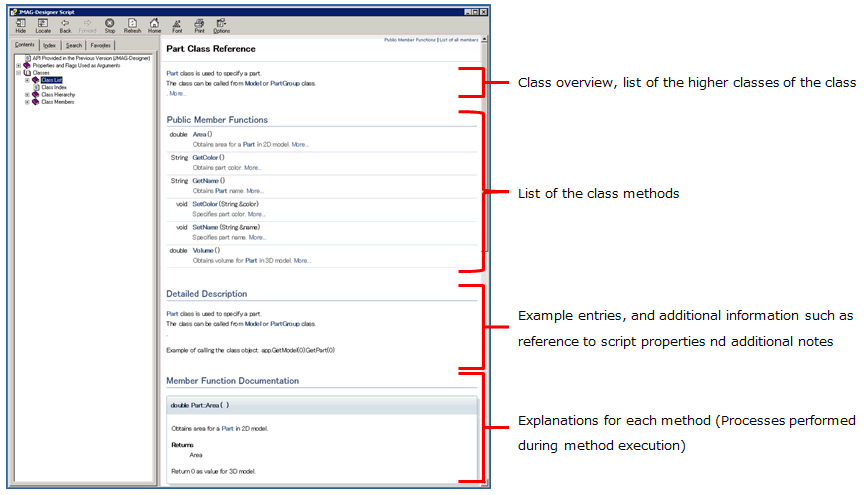
The help pages for each class method are composed of the following sections as shown in the image below.
Example Method Explanation (1)
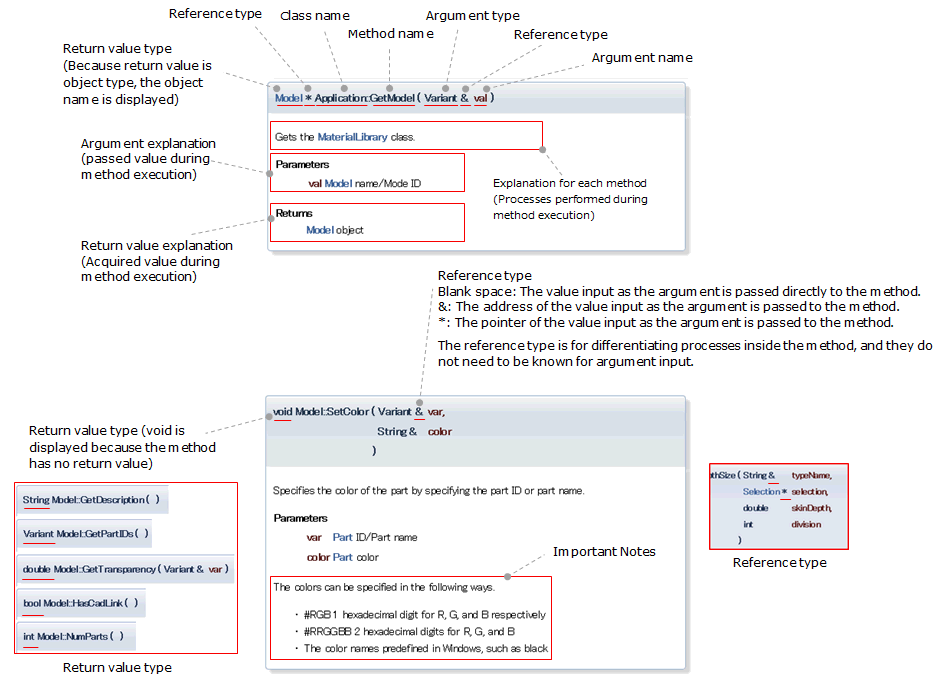
The following image is an example method explanation. This is a method belonging to the Model class.
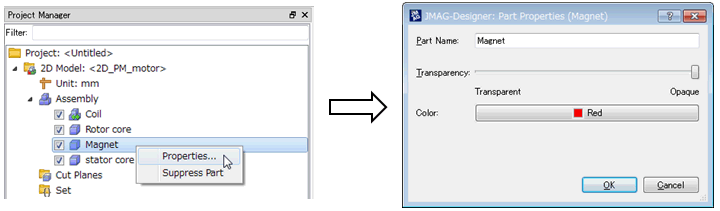
Examples of statements including these two methods are shown below.
In the method explanation in script help, class names, names and types of arguments, and type classifications are included in the syntax. However, only write methods and argument values when writing statements including a method. This should be noted.
Method Explanation (2)
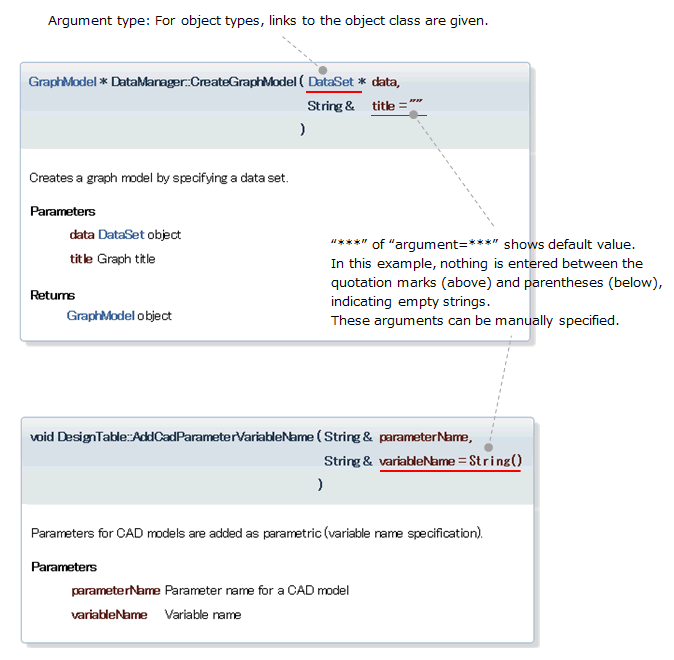
Some methods are written in a special style. A few examples are shown below.