
Search results:
- Sort condition
- Newest first
- Oldest first
- Views
-

[JFT204] Remote Execution of Analyses Using SSH and the JMAG Job System
This tutorial describes the procedures to run an optimization using SSH and the JMAG Job System.
-
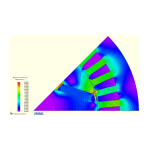
[No. 83] Steady-state short-circuit operation of a PM brushless machine
One of the most important test conditions for a brushless permanent-magnet machine is the steady-state short-circuit condition, sometimes called the ‘sustained’ short-circuit.
-

JMAG Document Update Information
2025 2024 2023Jul 2025 Remote Execution of Analyses Using SSH and the JMAG Job SystemJun 2025 Efficiency Map Creation for IPM Motor Considering Continuous Rating Upd …
-
Update History
Recent News 2025 2024 2023 2022 2021 2020 26 May“On-demand Webinar: Brush up on Motor Design!” Vol.061 has been released.7 May Flummoxed by Flux-Wa…
-
Events ⁄ Seminars
Events2025 Archive 21 AugPOWERSYSJMAG Users Conference 2025 in India (India: Bangalore)23-25 JulJapan Management Association (JMA)TECHNO-FRONTIER 2025 (Japan: Tokyo)SeminarsUpdate…
-
JMAG Mail News
This is the back number of the mail delivered in the past.We will send event information and homepage update information irregularly.If you would like to receive an e-mail, please…
-
Multiple Model/Case Result Comparisons Using JMAG Design Explorer
To our valued customers,This email provides you with the most up-to-date information on JMAG!Introducing JMAG-Designer Ver.24.1:Multiple Model/Case Result Comparisons Using JMAG D…
-
[JFT188] Creation and Use of Surrogate Models Using Multiple Analysis Case Results
This document describes the procedures to create a surrogate model using results from an analysis with multiple cases to review response value maps by calling that surrogate model…
-
[JFT205] Model Update Feature for SOLIDWORKS 3D CAD Software
This tutorial imports a new SOLIDWORKS geometry file to a study with a model while retaining the same material and condition settings.
-

Optimization
JMAG offers a number of functions to provide strong support for design optimization. JMAG optimization calculation functions are characterized by the integration of both analysis …
-
Video for Introducing the Functions:Multiple Model/Case Result Comparisons Using JMAG Design Explorer
Multiple Model/Case Result Comparisons Using JMAG Design ExplorerLast modified at 25 Jun 2025JMAG Design Explorer lets users compare and review optimization results for multiple m…
-
Introducing JMAG-Designer Ver.24.1
JMAG is being developed to automate design. To this end, Ver. 24.1 has even more improved functionality. In order to achieve automated design, Ver. 24.0 has even more improved fun…
-
Guideline
Easy-to-use for the beginner, useful for the expert, this is the user interface JMAG is aiming for.Context sensitive HelpSimply click the help button to view detailed help on the …
-
Webinar: Flummoxed by Flux-waves? – I
To our valued customers,This email provides you with the most up-to-date information on JMAG!Webinar with subtitles in multilingual:"Brush up on Motor Design!" Vol.62 has been rel…
-

The classification or “family tree” of electric machines today
Prof. Miller’s Webinar is released once a month on our website.You can watch it again and again on your own time, so please take a look.
-

[L-OP-188] High-Speed Large-Scale Design Space Exploration Using Surrogate Model-Assisted Optimization
In this case study, we used JMAG to optimize the geometry of an induction heating coil with surrogate models.