
Overview
In order to run multiphysics analysis, it is necessary to output JMAG data in the data format of the destination software. The Multi-Purpose File Export tool is available as a way to pass physical quantities from JMAG to the software used in other domains. As a use case, there exists a demand to output physical quantities per each operating point with traction motors, and couple with the software of other domains (Fig. a).
This document describes how to output the physical quantities of multiple cases in batches by using the Multi-Purpose File Export tool.
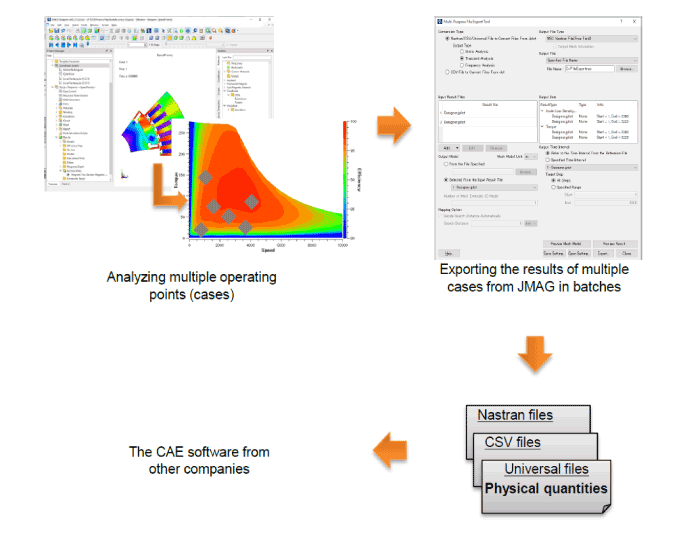
Fig. a Exporting and importing physical quantities using the Multi-Purpose File Export tool
Keywords
Multi-Purpose File Export tool, Multiphysics, Nastran file, Universal file, CSV file, Multiple cases, Batch output