
![[Free Software] JMAG Surrogate Based Optimization (JMAG-SBO)](/images/surrogate-optimization/bn_jmag-sbo.jpg)
JMAG Surrogate Based Optimization (SBO) beta
Primary Features
JMAG Surrogate-Based Optimization (JMAG-SBO) Overview
- JMAG-SBO capitalizes on surrogate models generated by JMAG to run high-speed multi-objective/multi-constraint optimizations.
- Surrogate models created using magnetic field, thermal, structural, and electric field analyses enable multi-disciplinary optimizations.
- The JMAG-SBO tool is not only available to JMAG users but everyone interested.
(JMAG license is required to generate surrogate models.)
Potential applications:
- Compare various models at the initial design stage to choose the one that satisfies the machine requirements.
- Instantly check whether potential designs support changes to machine specifications during development.
- Explore requirements during meetings evaluating system specifications.
(The JMAG-SBO tool does not require a JMAG-Designer license.)
JMAG-SBO Features
- Simply specify requirements and constraints to run optimizations
- Review results obtained by the surrogate models in seconds
- Modify requirements, run optimizations, and review results side-by-side
- Compare results from multiple surrogate models
- Visualize multi-objective optimization results in a variety of ways
- Export the potential design solutions to JMAG-Designer
- Display the accuracy of the surrogate model exported from JMAG Design Explorer
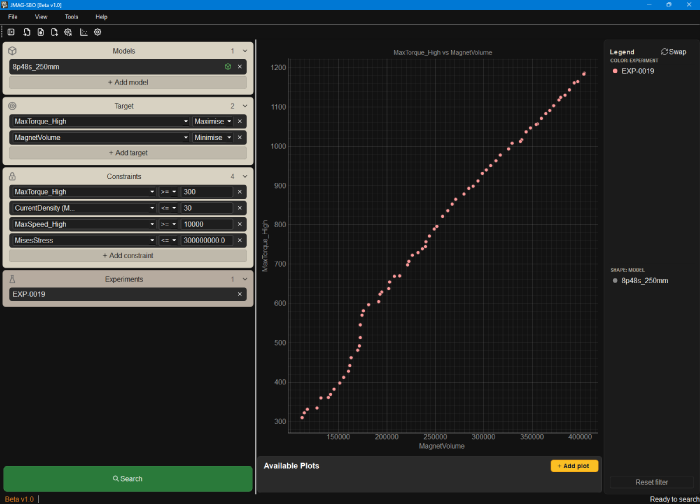
- Specify objective functions and constraint conditions using intuitive settings
- Run high-speed optimizations using surrogate models
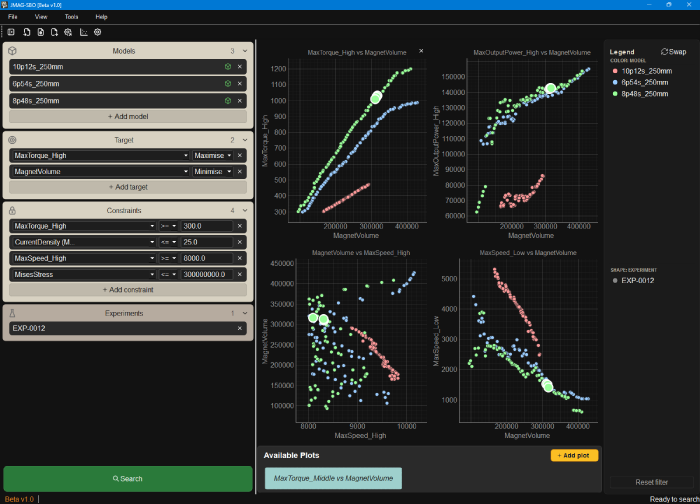
- Simultaneously run optimizations for several different models
- Create and display multiple graphs for multi-disciplinary evaluations
- Export design solutions as CSV files to run high-fidelity analyses in JMAG-Designer
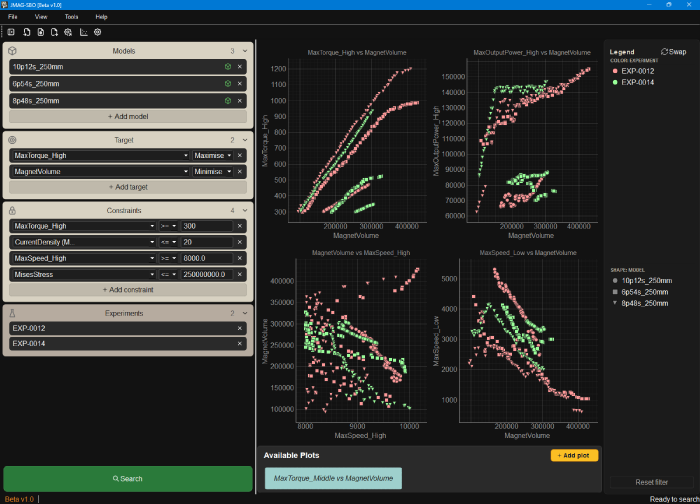
- Easily run trial optimizations while modifying design parameters
- Compare results for each trial on the same graph
JMAG-SBO Workflow
- Produce the training data and surrogate model via JMAG-Designer
- Run a JMAG-SBO using the surrogate model
- Import the design solutions obtained by the JMAG-SBO to JMAG-Designer and run high-fidelity analyses
License
The JMAG-SBO tool is not included in the JMAG suite of software, and does not use LM-X licensing as of July 2026.
Apply
STEP1: Registering for JMAG WEB MEMBER
STEP2: Agree to Software license agreement
STEP3: A free license will be automatically issued when you apply from the "Acquire a License Key" button.
*It is different from the service for Regular JMAG Software User (paid user). Please be careful.
Acquire a License Key
Sign In
Please enter your Email and password to sign in.
Download
To get the JMAG-SBO tool:
- Agree to the software license agreement and download the installer.
- Specify the free license provided to you.
- Use the sample data below as necessary.
This product is a beta version.
Installer Download (97.2 MB)
Sample Data
Compare models with various sizes and pole/slot combinations...
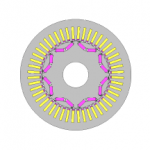
Run multi-disciplinary magnetic field, thermal, and structural analyses...